
Make your own page.
This is the page you write on in Fount notes, with the same buttons as on your iPhone. The notebook is open at a fresh page. Try the four things you’d do on the way to the train.
Pen tools
Pen
Ink colour
Line width
Recordings
Small discoveries
A browser version of the page in the app. Fount notes itself runs on iPhone.
- Write a line.Tap the page and type. Aa adds today’s date or makes a line a heading; Task and Bullets appear while you write.
- Draw something.Choose Pen and draw with your finger or mouse. Tap Pen again for the nib, the ink and the line width.
- Record ten seconds.Tap Record and say what you’d otherwise forget. The recording stays with the page.
- Turn the page.Swipe, use the arrow keys, or tap 3 / 32. Pages 1 and 2 already have notes on them.
Everything stays in this tab. Nothing is saved or sent, and your recording never leaves the browser. Close the tab and the page is gone.
That’s a page.
In the app it stays in your notebook, it turns like paper, and it comes back when you search.
The page is the same. The app does more around it.
This demo shows the heart of Fount notes: one page you write, draw and talk on. On your iPhone, that page sits in a notebook you keep.
| Feature | In this demo | In Fount notes |
|---|---|---|
| Writing | Type on lined paper, with headings, tasks, bullets and the date. | The same, plus a choice of writing fonts and pages that follow your finger as you turn them. |
| Pens | Three nibs, five inks, a highlighter and an eraser. | Your own pen presets and palettes, stroke smoothing, and a default pen for each notebook. |
| Voice | Recordings live in this tab until you close it. | Recordings stay on the page, and dictation writes out your words when it can. |
| Notebooks | One notebook of 32 pages. | One personal notebook is free. Fount Plus adds unlimited notebooks. Each has its own cover, paper and fixed number of pages. |
| Finding | Not in the demo | Search across your pages, and Notebook chat on compatible iPhones with Apple Intelligence. |
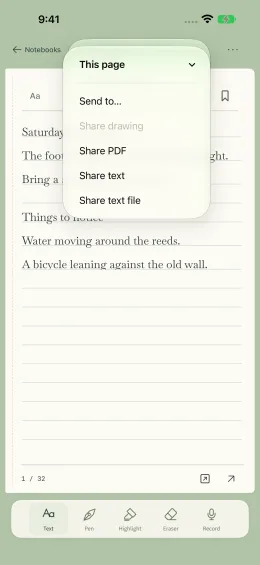
| Sending | Not in the demo | Share a page as a PDF or export a notebook as a Markdown ZIP for free. With Fount Plus, send page text to Reminders, Things 3 or Obsidian. |
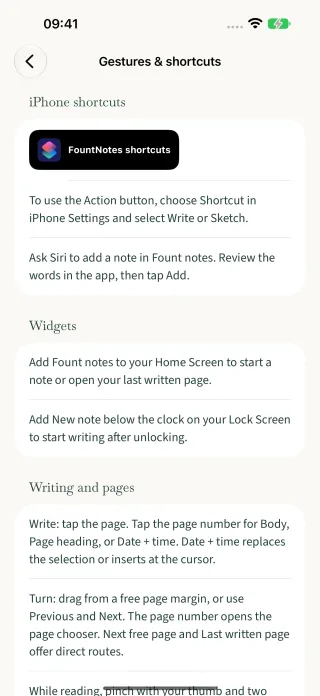
| Quick capture | Not in the demo | Start a quick note from the Lock Screen widget or use Shortcuts to write or sketch. |
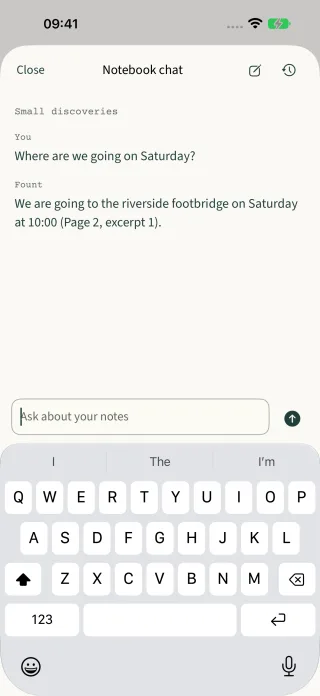
Requires iOS 26 or later and Apple Intelligence on a compatible iPhone.

Your own notebook, in your pocket.
Your first notebook and the pocket guide are free. Fount Plus is an optional one-time purchase that adds unlimited notebooks, app integrations and customization, with no subscription.